
Table of Contents
- How Smart Home Devices Turn Solar Generation Into Solar Energy Savings
- The Self-Consumption Rule That Decides Everything
- Smart Home Energy Management: Matching Loads to the Sun
- Smart Energy Monitoring: Verifying the Savings Instead of Guessing
- Smart Appliances and Solar: What to Automate and What to Leave Alone
- Solar Battery Management: Storing Surplus Instead of Exporting It
- The Numbers: Payback, Costs and Transparent Assumptions
- Compatibility, Setup and the Limitations Nobody Mentions
- Conclusion
- Frequently Asked Questions
Last Updated: October 17, 2026
How Smart Home Devices Turn Solar Generation Into Solar Energy Savings
Solar panels make power. Smart home devices decide what you do with it. That distinction is where most solar energy savings are won or lost.
The governing rule: a solar panel earns the most when its electricity is used in your home the moment it’s generated.
Below: how to match household loads to solar generation, which devices to automate, and how to verify the savings rather than assume them.
The Self-Consumption Rule That Decides Everything
Self-consumption is the share of your solar generation used on site rather than exported, the single biggest lever on your solar energy savings.
High self-consumption means more generation offsets full retail prices; low self-consumption means power is exported cheaply and bought back at a higher evening rate. A typical household without automation runs most heavy loads after dark, the mismatch smart home technology exists to fix.
Every load you can move into daylight hours increases self-consumption, and self-consumption is what turns generation into solar energy savings. Timing beats tinkering.
Smart Home Energy Management: Matching Loads to the Sun
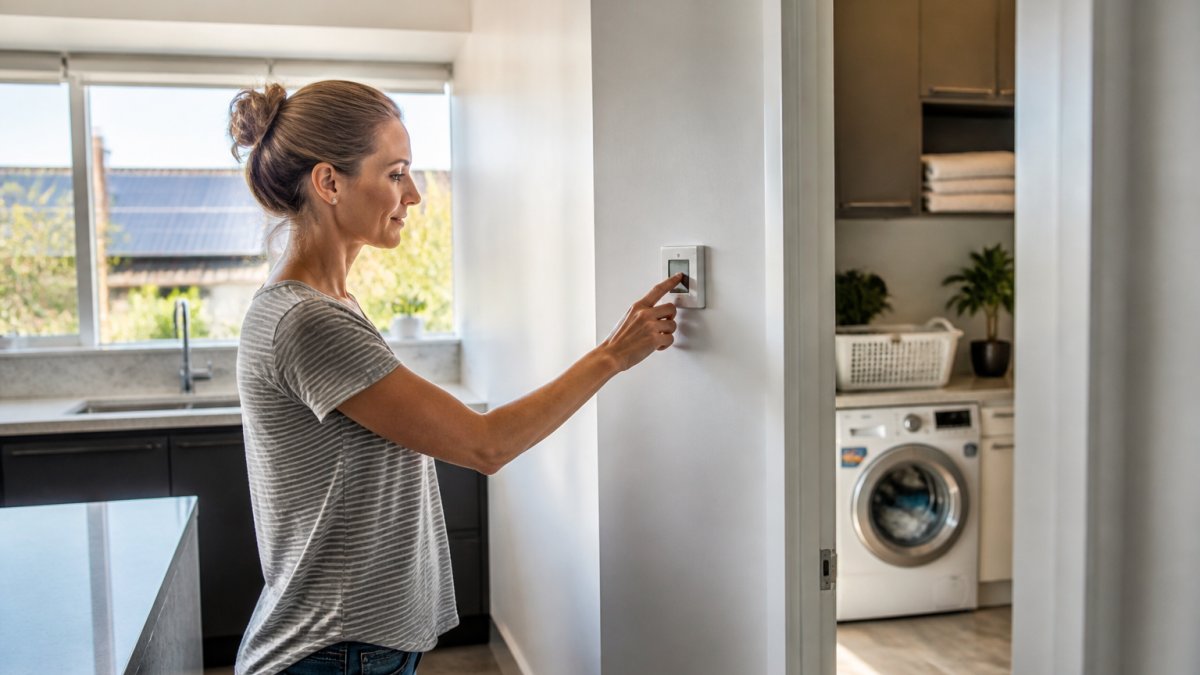
Smart home energy management means scheduling household devices to run when your solar system is generating, not when the grid is expensive, turning passive generation into active savings.
A Device-by-Device Load-Shifting Schedule
Here’s how we’d approach the main household loads, based on how much flexibility each one offers:
| Device | Flexibility | Best Time to Run | How to Automate |
|---|---|---|---|
| Pool pump | High | Midday, peak generation | Timer or smart relay on a schedule |
| Washing machine | High | Late morning to early afternoon | Delay-start or smart appliance schedule |
| Dishwasher | High | Early afternoon | Delay-start timer |
| Hot water (heat pump or electric) | Medium | Midday boost | Timer or smart controller |
| EV charging | High | Daytime where possible | Smart charger with solar-following mode |
| Air conditioning | Medium | Pre-cool during generation | Smart thermostat schedule |
| Fridge and freezer | None | Always on | Leave alone |
| Lighting | Low | Evening as needed | Smart bulbs and motion sensors |
Flexible, high-draw loads are worth automating; the rest aren’t worth the effort. A common mistake is automating everything at once, start with the pool pump and washing machine, together often a meaningful chunk of consumption and both easy to schedule.
Set your pool pump to run in two shorter blocks around midday rather than one long evening block. You get the same filtration with far better solar coverage, and you avoid draining the battery later.
Smart Energy Monitoring: Verifying the Savings Instead of Guessing
Smart energy monitoring uses real-time sensors and a smart meter to show exactly when you’re generating, consuming, importing and exporting power, how you confirm your solar energy savings instead of hoping for them.
Look for these capabilities:
- Real-time energy consumption data broken down by circuit or device
- Solar generation tracking shown on the same timeline
- Import and export figures so you can see what’s flowing to the grid
After a few weeks of data, look for two things: high generation with low consumption (wasted opportunity), and heavy imports despite good generation (a scheduling problem). Once your patterns are clear, the fixes usually suggest themselves.
Smart Appliances and Solar: What to Automate and What to Leave Alone
Smart appliances for solar work best when genuinely flexible about timing. The mistake is buying smart devices for their own sake rather than for load-shifting value. Here’s our honest take:
Worth automating:
- Pool pumps and pool heating
- Washing machines and dryers with delay-start
- Dishwashers
Usually not worth automating:
- Fridges and freezers (they need constant power)
- Small kitchen appliances (low draw, no real benefit)
- Lighting beyond basic motion sensors and schedules
A smart thermostat’s real value isn’t remote control, it’s pre-cooling the house during peak generation so the air conditioning works less during the expensive evening peak.
A smart plug on a low-draw device saves almost nothing. Focus your automation budget on the handful of devices that move the needle.
Solar Battery Management: Storing Surplus Instead of Exporting It
A solar battery changes the maths of self-consumption: instead of exporting surplus cheaply, you store it and use it in the evening when grid electricity is most expensive.
The trade-off is real: battery storage adds upfront cost, and payback depends on evening usage, feed-in tariff and surplus generation. For households with heavy evening consumption, a battery can make strong financial sense.
Don’t size a battery around your worst-case evening. Size it around your typical evening usage. Oversized batteries sit full and idle for much of the year, and that’s capital doing nothing.
If power reliability matters, the calculation shifts: a battery that also provides backup during outages delivers value beyond the bill, a different question from pure payback, worth weighing separately.
The Numbers: Payback, Costs and Transparent Assumptions
Most guides stop at “smart devices lower your bills”, not useful when deciding whether to spend money. What follows is a transparent method you can run with your own figures, plus worked scenarios showing how the answer changes with household size, system capacity and tariff structure.
The four variables that set your savings
Your solar energy savings from smart home devices depend on:
- Generation, system size, orientation, shading and local solar resource.
- Self-consumption before automation, how much of that generation you already use on site.
- The value gap, your retail import rate minus your feed-in tariff. Each kilowatt-hour shifted from export-then-reimport to on-site use is worth roughly that gap.
- Device cost, purchase, installation and any subscription or hub cost.
Payback in years is simply total device cost divided by annual savings. The hard part is estimating annual savings honestly, which comes down to how many kilowatt-hours you can realistically shift.
Worked scenarios (illustrative, using round figures)
Deliberately simple examples showing the mechanics, not forecasts. Substitute your own meter data, tariff and quotes.
Scenario A, small household, 5 kW system, modest flexible load
- Assumed value gap between retail rate and feed-in tariff: about 20c per kWh (a common order of magnitude when retail is around 30c and feed-in is around 5-10c; check your own bill).
- Flexible load shifted into daylight: 3 kWh per day (washing machine, dishwasher, some hot water).
- Annual shifted energy: 3 × 365 ≈ 1,095 kWh.
Scenario B, larger household, 6.6 kW system, pool and EV
- Same 20c value gap.
- Flexible load shifted: 10 kWh per day (pool pump, hot water boost, dishwasher, some EV charging).
- Annual shifted energy: 3,650 kWh.
Scenario C, battery added
- Battery storage shifts surplus into the evening rather than only into daytime loads.
- Each stored kilowatt-hour is worth roughly the value gap minus round-trip losses (commonly 10-15% for lithium systems).
- Battery payback depends heavily on evening consumption, feed-in tariff and battery price, so assess it separately from device automation, automation is usually the cheaper first step; storage is the larger capital decision.
How to build your own estimate in an afternoon
- Pull a month of monitoring data. Note total generation, consumption, and imports/exports.
- Estimate current self-consumption. Divide self-consumed solar by total generation; many households without automation sit well below half.
- List flexible loads and daily kWh. Use nameplate ratings × run time, or a plug-in energy meter.
- Decide what fraction you can move. Most households can shift the majority of pool, laundry, dishwasher and hot-water load; EV charging depends on daytime availability.
- Multiply shifted kWh by your value gap. Use your actual retail rate and feed-in tariff from a recent bill.
- Divide device cost by annual saving for simple payback, then check the half-shift case.
Run the calculation at three shift levels, conservative, expected and optimistic. If the project still looks sensible at the conservative level, you have a robust case. If it only works at the optimistic level, wait or start smaller.
Costs to include that people forget
- Installation and electrician time for hard-wired controllers, hot-water timers and EV chargers.
- Hub or subscription fees if the device relies on a cloud service.
- Standby consumption of always-on controllers and hubs, usually small per device but worth checking across a house full of them.
What to ask an installer
Ask for the self-consumption assumption behind any savings projection, the retail and feed-in rates used, and whether the figure is gross or net of device cost. If those three numbers aren’t stated, the projection is a guess dressed up as a forecast. For current system and battery pricing context, the Clean Energy Council’s consumer guidance is a useful starting point, and we’re happy to walk through the numbers for your specific situation.
Compatibility, Setup and the Limitations Nobody Mentions
Compatibility is where smart home solar projects quietly fall apart: not every device talks to every inverter, and not every “savings” claim survives a real meter. Below: a compatibility checklist, a commissioning sequence, a measurement method, and the limitations.
Compatibility checklist before you buy
- Inverter integration. Check whether the device or hub can read your inverter’s data locally or via the manufacturer’s API. Some solar-following chargers and battery systems only integrate with specific brands.
- Meter data. Confirm your smart meter or consumption monitor exposes real-time or near-real-time data, not just daily totals. Older meters may only report cumulative figures.
- Protocol and hub. Identify whether the device uses Wi-Fi, Zigbee, Z-Wave, Matter or a proprietary protocol, and whether it needs a hub. Fragmented control across several apps gets abandoned fast.
A practical setup and commissioning sequence
- Baseline first. Record two to four weeks of generation, consumption, import and export before changing anything.
- Install monitoring if you don’t have it. Whole-home consumption monitoring alongside generation data is the minimum for verifying savings.
- Start with one high-value load. Pool pump or hot water is usually the easiest meaningful win. Schedule it into the generation peak and observe for a week.
- Add laundry and dishwasher. Use delay-start or smart-appliance schedules set to late morning to early afternoon.
- Add EV charging if applicable. Use a solar-following mode rather than a fixed timer so charging tracks actual generation.
- Tune HVAC last. Pre-cooling interacts with comfort and weather, so it needs the most observation.
- Document settings. Record schedules, thresholds and firmware versions so you can reproduce or reverse changes.
Don’t commission everything in one day. Change one load at a time so you can attribute any change in your bill or self-consumption to a specific intervention.
Measuring and verifying the savings
Savings are easy to claim and harder to prove. The method that holds up:
- Compare like with like. Use the same period length and similar weather; if you can’t control for weather, compare self-consumption ratio (self-consumed solar ÷ total generation) rather than absolute kilowatt-hours.
- Track the right metrics. Self-consumption ratio, grid imports during the solar window, evening imports, and peak demand. Falling evening imports with stable generation is strong evidence of load shifting.
- Separate price from volume effects. A bill can fall because tariffs changed, not because you used less. Compare kilowatt-hours and rates separately.
Limitations worth stating plainly
- Forecast error. A cloudy week can wipe out a carefully scheduled load’s benefit. Solar-following modes handle this better than fixed timers.
- Standby consumption. Hubs, controllers and smart plugs draw power continuously, individually small, collectively worth checking.
- Connectivity failures. Wi-Fi drops and cloud outages can leave devices running at the wrong time. Local fallback schedules help.
The Australian Cyber Security Centre’s guidance for smart devices is worth reading before you connect a house full of equipment to the internet.
Compatibility is checked before purchase, commissioning is done one load at a time, and savings are verified against a baseline, not assumed. That discipline is what separates a smart home that saves from one that just has more apps.
Conclusion
The gap between a solar system that performs and one that disappoints usually isn’t the panels. It’s the timing of when you use the power they make.
That’s the work we do at Solazone Australia. Our team handles solar power systems, battery backup and solar ventilation, with Australian-made options and installers who know the equipment inside out.
If you want to know what your real solar energy savings could look like, get started with Solazone Australia and we’ll work through the numbers for your home.
Frequently Asked Questions
How do smart home devices actually increase solar energy savings?
They shift your electricity use into the hours when your panels are generating. A solar system only saves you the full retail rate on power you use at home; anything exported earns a much lower feed-in tariff. Smart plugs, relays and thermostats run the dishwasher, pool pump or hot water at midday instead of at night, so more of your own generation is consumed on site. Add monitoring to confirm the shift is happening, and solar energy savings come from self-consumption rather than from the devices themselves.
Which smart devices work best with solar panels?
Start with the big continuous loads: hot water, pool pumps, air conditioning and EV charging. Smart relays or load controllers on these deliver the largest shift for the least money. A smart thermostat adds temperature control without sacrificing comfort, and a smart energy monitoring unit at the switchboard shows what is actually happening. Smart plugs suit smaller appliances like dishwashers and dryers. Lighting automation helps least, because lighting is a small share of most household energy consumption.
Can smart appliances and solar battery management work together?
Yes, and that pairing is where the numbers improve most. A battery stores surplus solar power that would otherwise be exported cheaply, then discharges it during peak demand in the evening. Smart appliances solar scheduling tells the battery when to expect heavy loads, so it holds enough charge for the evening rather than emptying at 3pm. Check that the battery and the automation platform speak the same protocol before buying, and ask the installer to demonstrate the load-shifting settings during commissioning.
Are smart home devices worth it for a home that already has solar?
It depends on how much of your generation you currently export. If most of your solar power flows to the grid at a low feed-in tariff while you buy back at night, load shifting and monitoring usually pay for themselves quickly. If you already run major appliances during the day, the gain is smaller. Ask for a written estimate of self-consumption before and after, with the assumptions stated, and treat any projection without stated assumptions as a guess.